About This Pack
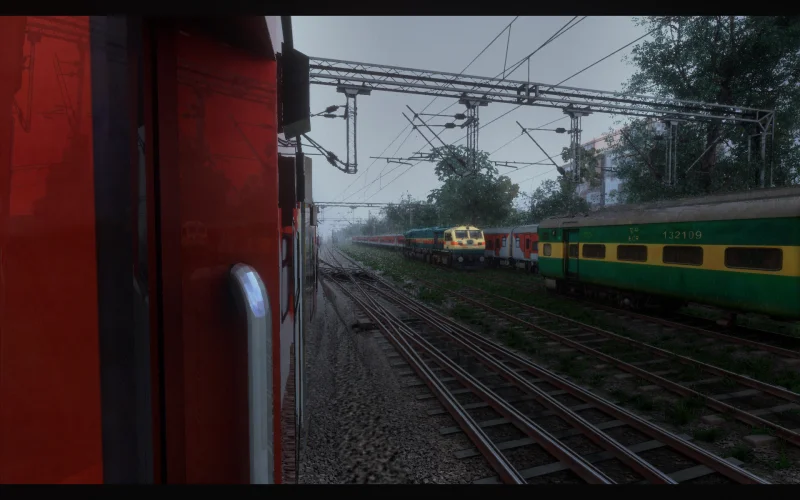
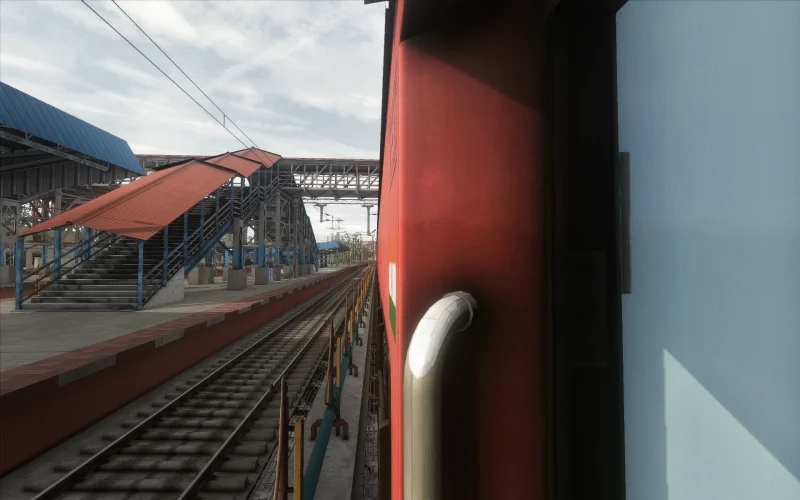
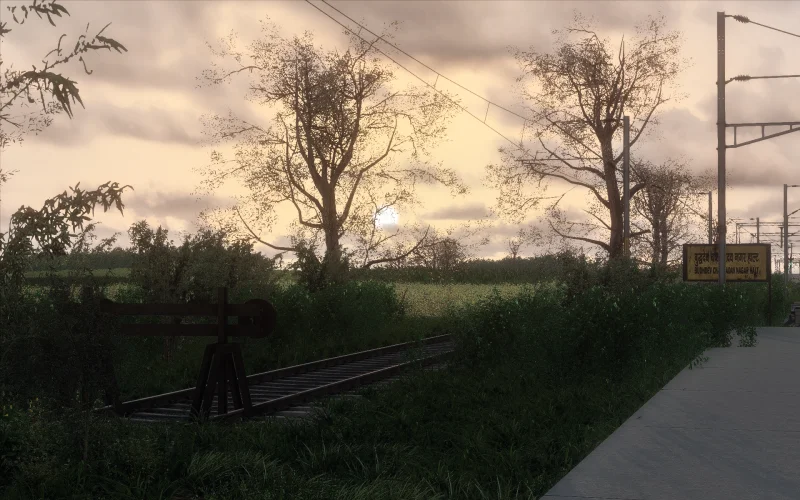
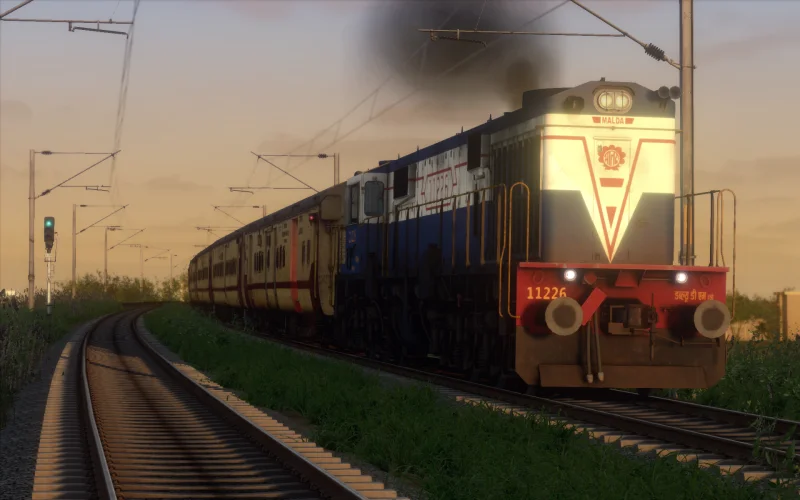
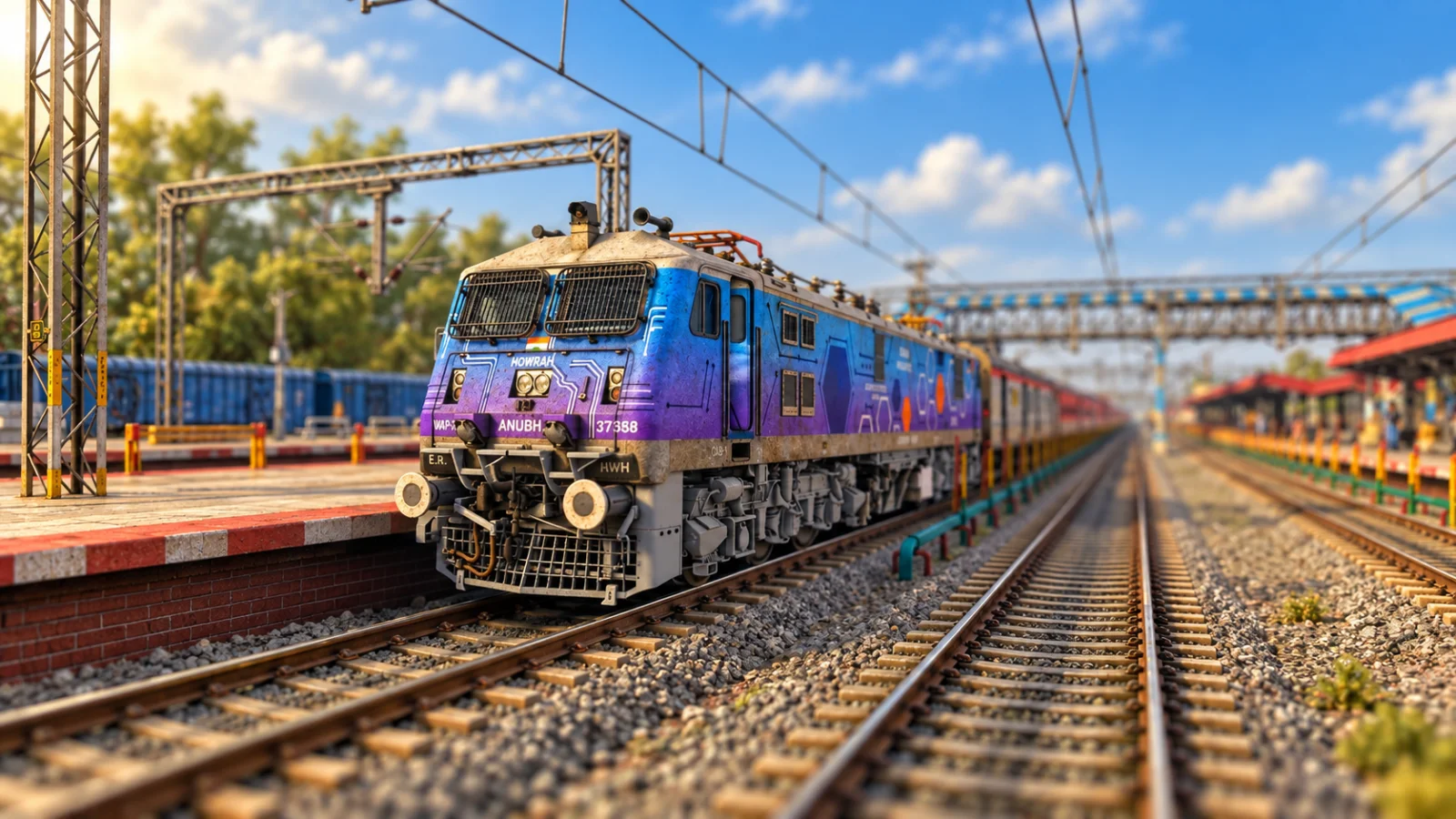
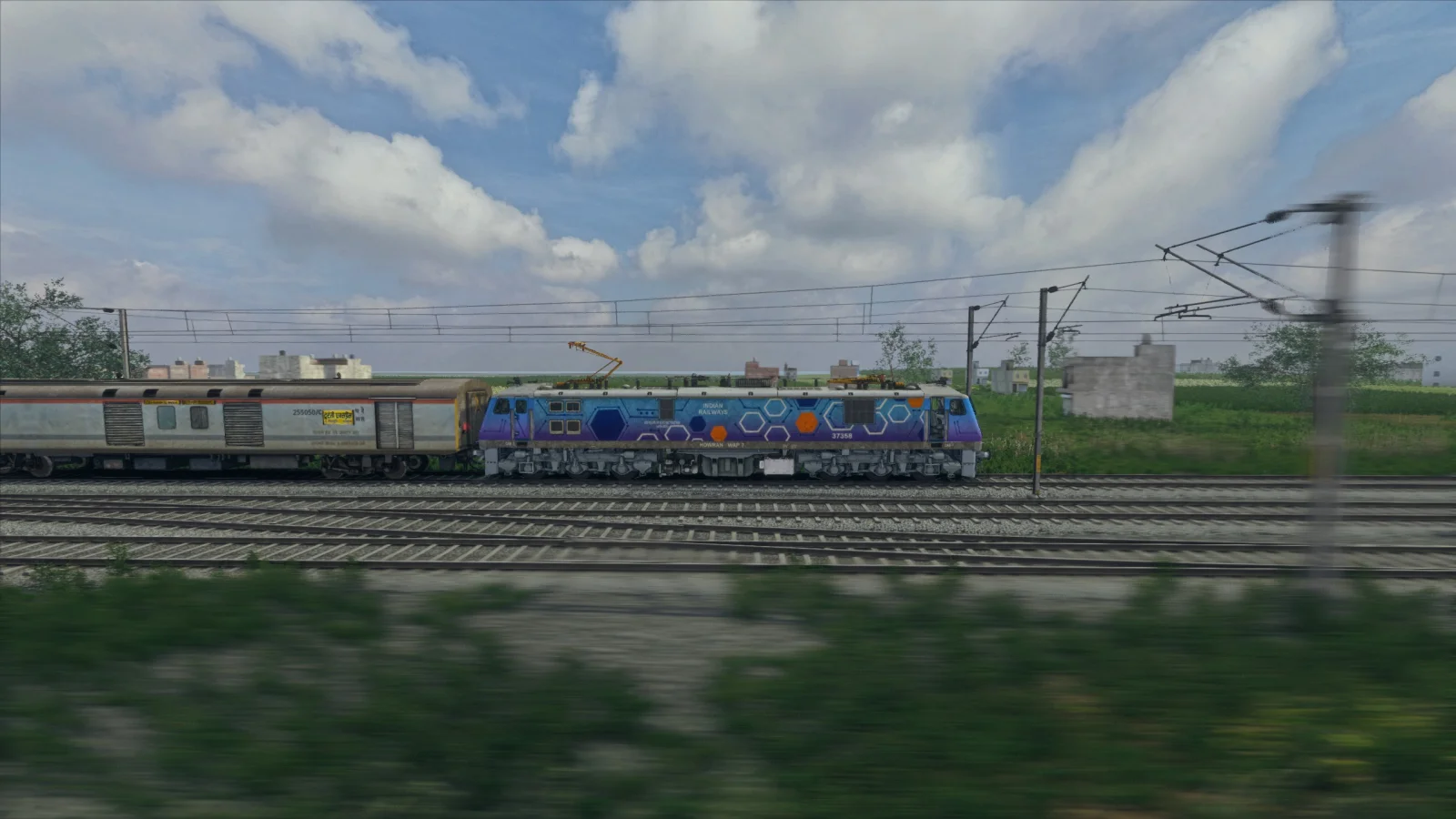
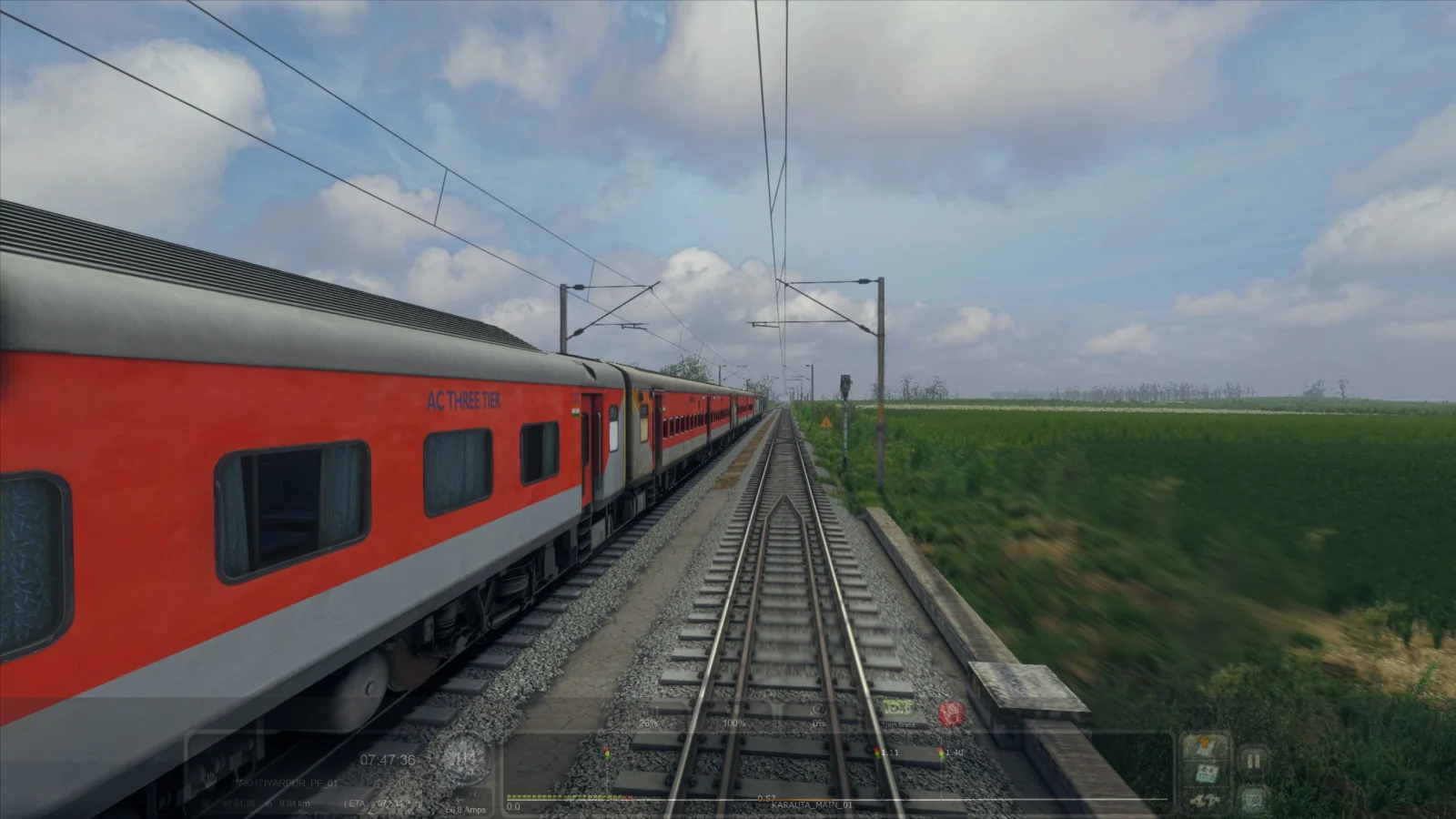
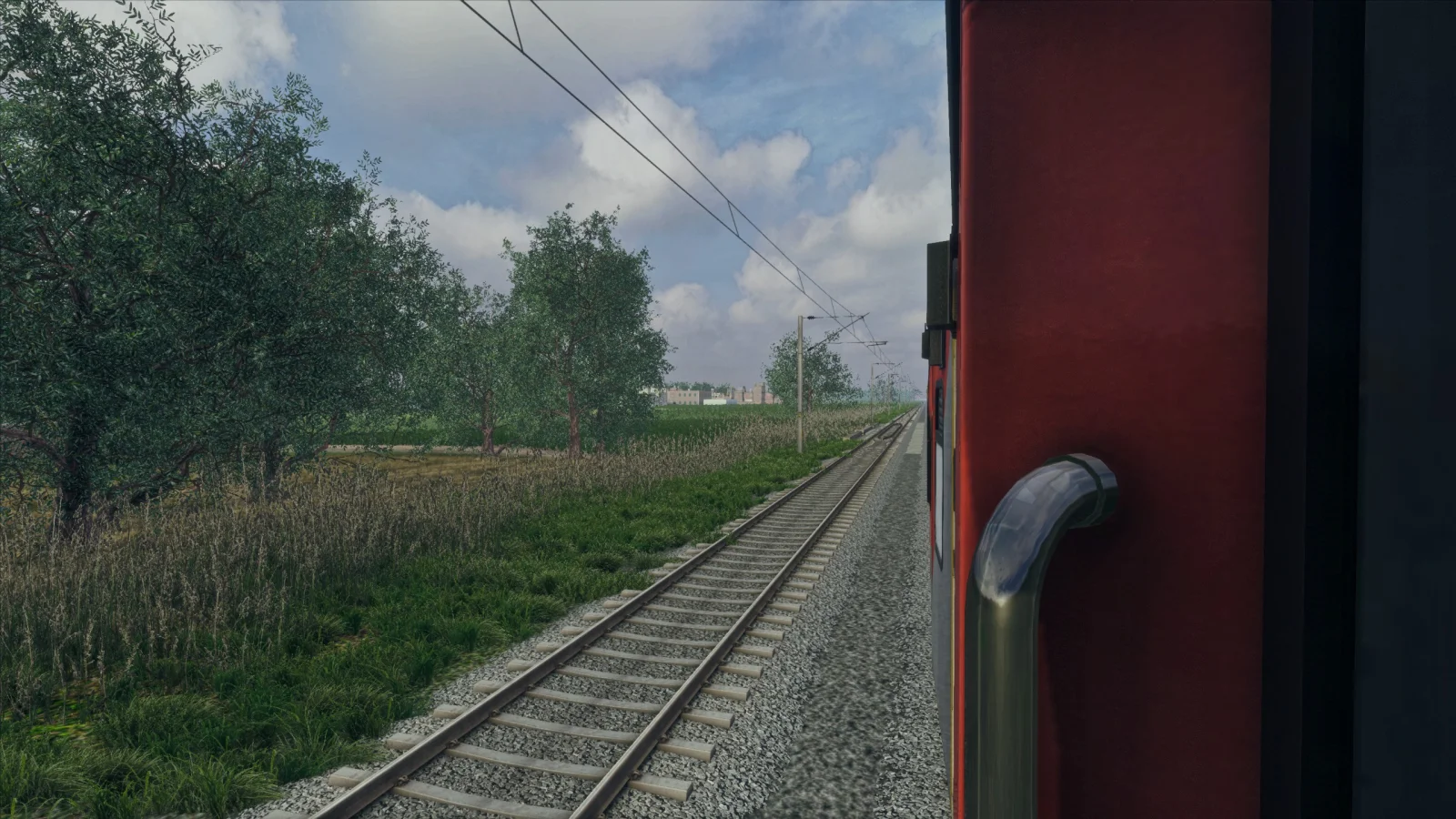
This preset has been carefully tuned to create a much richer and more immersive daytime presentation while maintaining a natural-looking environment.
The preset enhances several visual aspects of Train Simulator Classic, including environmental lighting, contrast, image sharpness, reflections, colour depth, atmospheric presence and overall scene definition.
It is particularly suited for daytime Indian railway journeys, where sunlight, locomotive details, track infrastructure, vegetation, stations, coaches and surrounding scenery can benefit from stronger definition and more realistic visual depth.
Important Display Adjustment
After installing and activating the preset, please adjust the game's Ambient Light, Brightness and Contrast according to your own monitor or display.
Every monitor, television and display panel has different brightness, gamma, HDR, colour and contrast characteristics. Because of this, the preset cannot automatically determine the perfect brightness or contrast for every screen.
For the best results:
Adjust Ambient Light, Brightness and Contrast directly inside Train Simulator Classic according to your screen.
If the image appears too bright, too dark, washed out or overly contrasted, this does not necessarily mean the preset is installed incorrectly. Fine-tuning these three settings for your particular monitor will provide the best visual result.
Recommended Usage
This preset has been primarily developed for:
Daytime journeys
Indian Train Simulator add-ons
Indian locomotive and coach add-ons
Clear and partly cloudy weather conditions
Cinematic gameplay
Screenshots and thumbnails
YouTube videos and livestreams
The strongest visual results are expected during daylight operation.
Premium Visual Processing
The ASG V1 preset incorporates carefully configured image-processing effects designed to improve:
Daylight appearance
Environmental depth
Image clarity
Surface definition
Contrast
Colour balance
Reflections
Ambient lighting
Sharpness
Subtle bloom
Scene depth
Overall realism
The objective is not simply to make Train Simulator Classic more colourful, but to give Indian railway journeys a cleaner, deeper and more cinematic visual presentation.
Please Note
The final appearance can vary depending on:
Monitor or television
Resolution
HDR/SDR configuration
In-game graphics settings
Route
Weather
Time of day
ReShade version
Installed shader packages
For this reason, some user adjustment may be required.
Key Features
- check_circle Ultra Realistic Daytime Visual Experience
- check_circle Optimized for Train Simulator Classic
- check_circle Designed for Indian Train Simulator Add-ons
- check_circle Enhanced Daylight and Environmental Lighting
- check_circle Improved Contrast and Scene Depth
- check_circle Enhanced Locomotive and Coach Details
- check_circle Sharper Track and Environment Details
- check_circle Improved Reflections
- check_circle Premium Colour Processing
- check_circle Enhanced Ambient Lighting
- check_circle Subtle Cinematic Bloom
- check_circle Improved Image Clarity
- check_circle Ideal for Daytime Journeys
- check_circle Ideal for Screenshots and YouTube Thumbnails
- check_circle Ideal for Gameplay Videos and Livestreams
- check_circle Simple ReShade Preset Installation
- check_circle Digital Download
- check_circle Lifetime Updates
- check_circle ASG Premium Preset
System Requirements
Operating System: Windows 10 or Windows 11 64-bit
ReShade: Required and must be correctly installed for Train Simulator Classic
GPU: DirectX-compatible dedicated graphics card recommended
Recommended GPU: NVIDIA GTX 1660 / RTX series or equivalent AMD GPU
RAM: 8 GB minimum, 16 GB or more recommended
Storage: Minimal additional storage required
Display: 1080p or higher recommended
Internet: Required only for product download/initial installation where applicable
IMPORTANT:
Visual appearance will vary depending on monitor, television, HDR/SDR settings, resolution, route, weather and existing Train Simulator Classic graphics settings.
After activating the preset, adjust Ambient Light, Brightness and Contrast inside the game according to your own display for the best result.
Installation Guide
After successful payment approval, the preset will automatically appear in your SA Installer app.
Open SA Installer, select ASG V1 New Ultra Realistic Day Preset, and click Install.
Once installation is complete, close SA Installer and launch Train Simulator Classic.
Inside the game, press the Home key to open the ReShade menu.
Select the preset file named:
ASG V1 NEW ULTRA REALISTIC DAY PRESET
Click/select it and the preset will be applied instantly.
Important: For the best visual result, adjust your game's Ambient Light, Brightness/Daylight and Contrast according to your monitor or screen. Every display is different, so a small adjustment may be required to achieve the intended ultra-realistic daytime look.
Technical Specifications
System Requirements
Operating System: Windows 10 or Windows 11 64-bit
ReShade: Required and must be correctly installed for Train Simulator Classic
GPU: DirectX-compatible dedicated graphics card recommended
Recommended GPU: NVIDIA GTX 1660 / RTX series or equivalent AMD GPU
RAM: 8 GB minimum, 16 GB or more recommended
Storage: Minimal additional storage required
Display: 1080p or higher recommended
Internet: Required only for product download/initial installation where applicable
IMPORTANT:
Visual appearance will vary depending on monitor, television, HDR/SDR settings, resolution, route, weather and existing Train Simulator Classic graphics settings.
After activating the preset, adjust Ambient Light, Brightness and Contrast inside the game according to your own display for the best result.
Installation Guide
After successful payment approval, the preset will automatically appear in your SA Installer app.
Open SA Installer, select ASG V1 New Ultra Realistic Day Preset, and click Install.
Once installation is complete, close SA Installer and launch Train Simulator Classic.
Inside the game, press the Home key to open the ReShade menu.
Select the preset file named:
ASG V1 NEW ULTRA REALISTIC DAY PRESET
Click/select it and the preset will be applied instantly.
Important: For the best visual result, adjust your game's Ambient Light, Brightness/Daylight and Contrast according to your monitor or screen. Every display is different, so a small adjustment may be required to achieve the intended ultra-realistic daytime look.
System Compatibility
Game: Dovetail Games Train Simulator Classic
Operating System: Windows 10 or Windows 11 64-bit
ReShade: Required and must be correctly installed for Train Simulator Classic
GPU: DirectX-compatible dedicated graphics card recommended
Recommended GPU: NVIDIA GTX 1660 / RTX series or equivalent AMD GPU
RAM: 8 GB minimum, 16 GB or more recommended
Storage: Minimal additional storage required
Display: 1080p or higher recommended
Internet: Required only for product download/initial installation where applicable
IMPORTANT:
Visual appearance will vary depending on monitor, television, HDR/SDR settings, resolution, route, weather and existing Train Simulator Classic graphics settings.
After activating the preset, adjust Ambient Light, Brightness and Contrast inside the game according to your own display for the best result.
Installation Guide
After successful payment approval, the preset will automatically appear in your SA Installer app.
Open SA Installer, select ASG V1 New Ultra Realistic Day Preset, and click Install.
Once installation is complete, close SA Installer and launch Train Simulator Classic.
Inside the game, press the Home key to open the ReShade menu.
Select the preset file named:
ASG V1 NEW ULTRA REALISTIC DAY PRESET
Click/select it and the preset will be applied instantly.
Important: For the best visual result, adjust your game's Ambient Light, Brightness/Daylight and Contrast according to your monitor or screen. Every display is different, so a small adjustment may be required to achieve the intended ultra-realistic daytime look.